

MIGASENDER
Orientation:

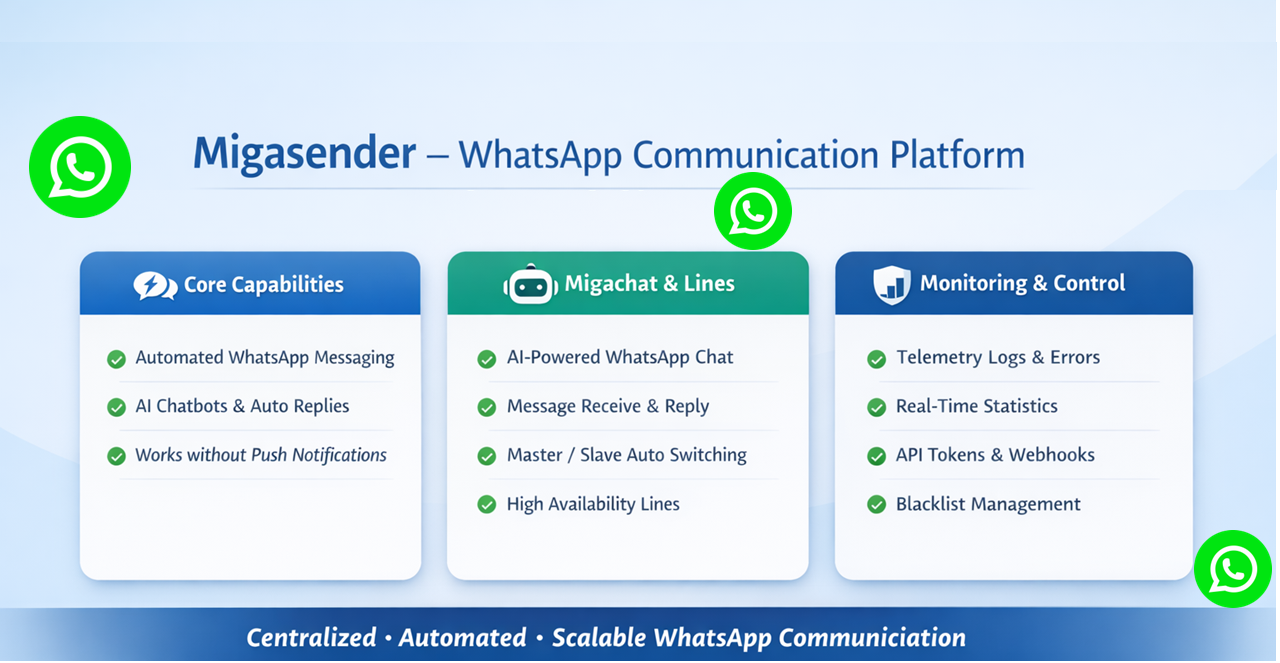
Migsender introduces a powerful new capability that allows WhatsApp messages to be dispatched directly from Siberian to all users with registered mobile numbers. This enhancement addresses a critical communication gap by enabling outreach to users who may not be reachable through traditional push notifications.
Automated Communication: It manages all interactions with customers and leads via WhatsApp, using AI chatbots for frequently asked questions, automated messages, and notifications. This allows businesses to respond to customers immediately without wasting time.
Centralized Management: Through Migacrm, all information related to leads, customers, and documents is centralized and easily accessible. This enables effective lead management through automated pipelines and real-time dashboards, reducing information fragmentation and improving team autonomy.
Predictable Acquisition: Migasender helps build a consistent flow of qualified leads through strategies such as automated referrals, SEO, and optimized advertising, reducing reliance on paid advertising campaigns.
This update also delivers seamless integration with the MIGACHAT module, including an optional AI-powered interaction feature within Siberian. Upon installation, administrators can easily enable or disable MIGACHAT integration via a newly added settings menu. By default, the integration is enabled.
With this integration in place, MIGACHAT is capable of:
- Receiving messages sent by WhatsApp users
- Processing messages through AI-driven responses
- Forwarding replies back to the appropriate WhatsApp user
- Managing structured message forwarding workflows
- Maintaining conversation history (logs) and interaction statistics
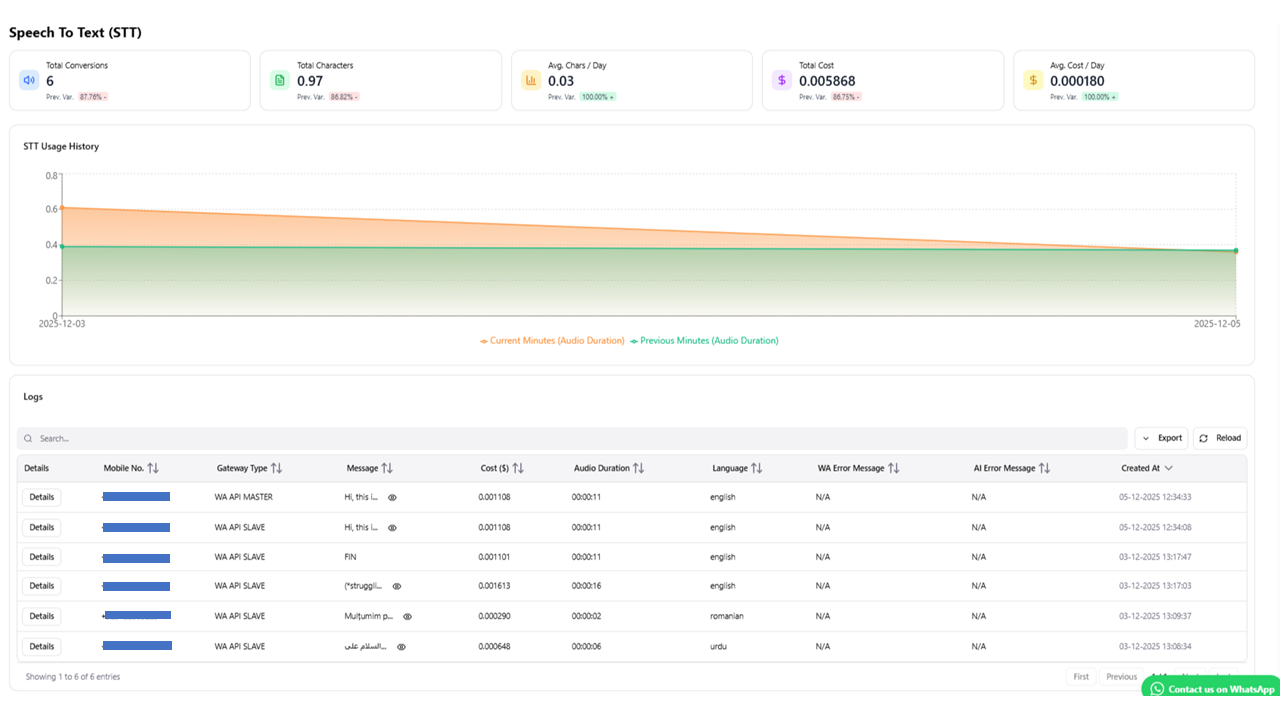
- Supporting Text-to-Speech (TTS) and Speech-to-Text (STT) capabilities for enhanced user interaction
This upgrade significantly enhances omnichannel communication, intelligent automation, and user engagement across the Siberian ecosystem.
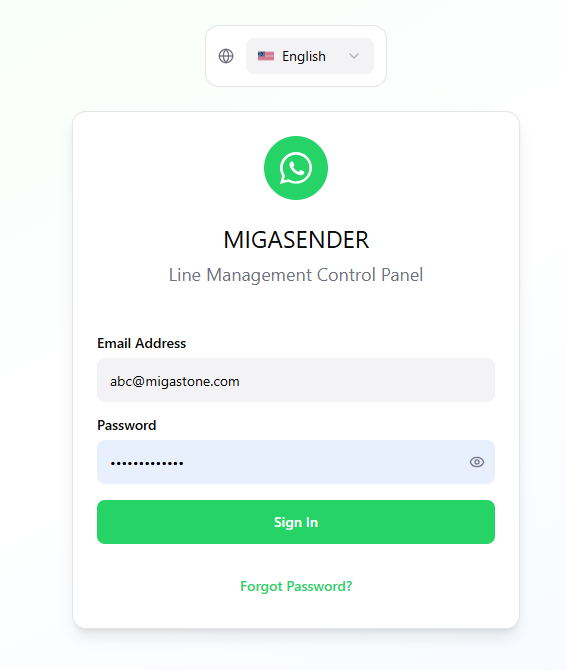
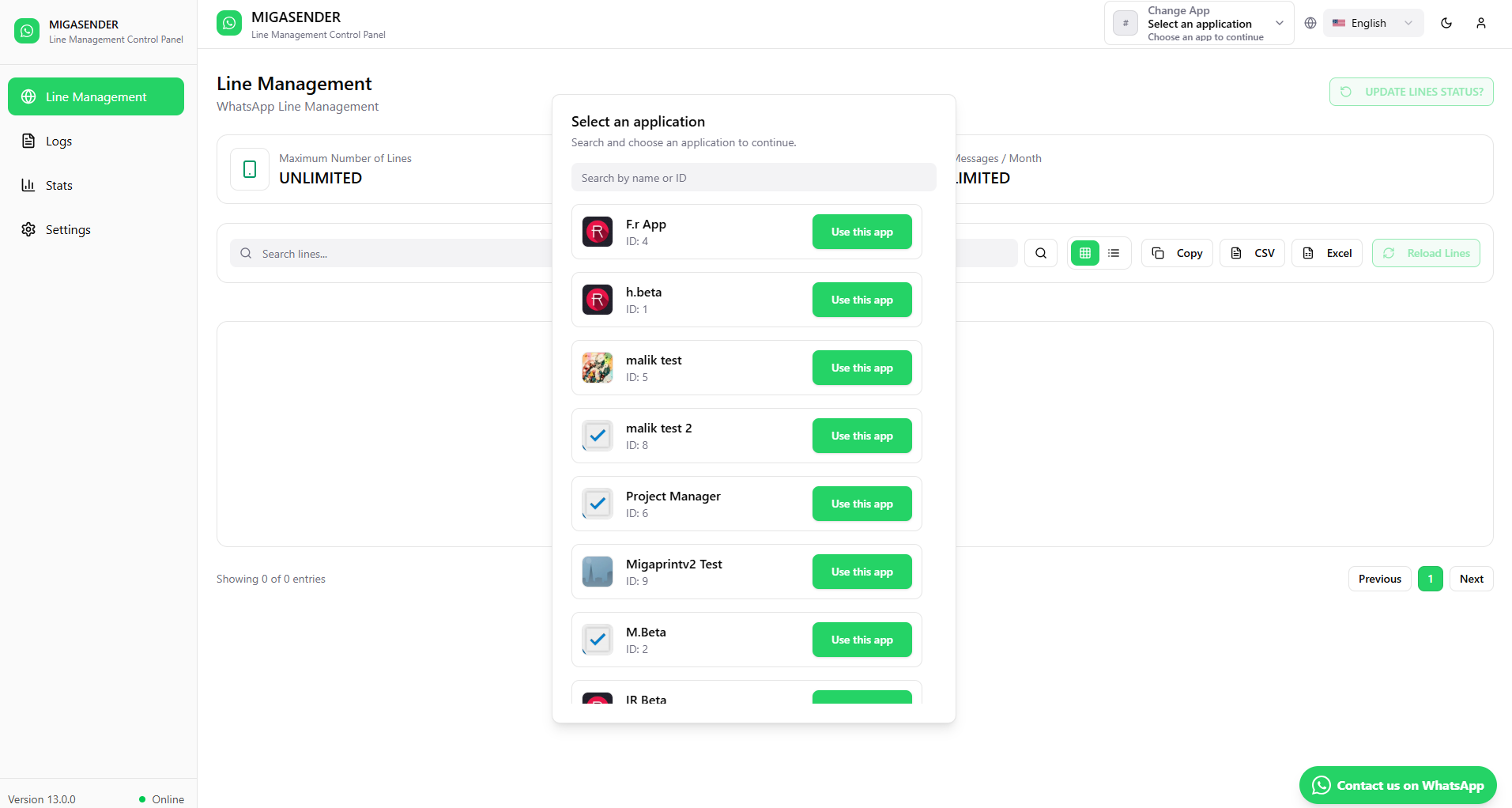
After login user will get the list of Apps,, just click on the specific App and get App setting data etc..
Line Management:
Line management in Migasender is handled through the Migawhatsapp Line Management API. Here’s how it works:
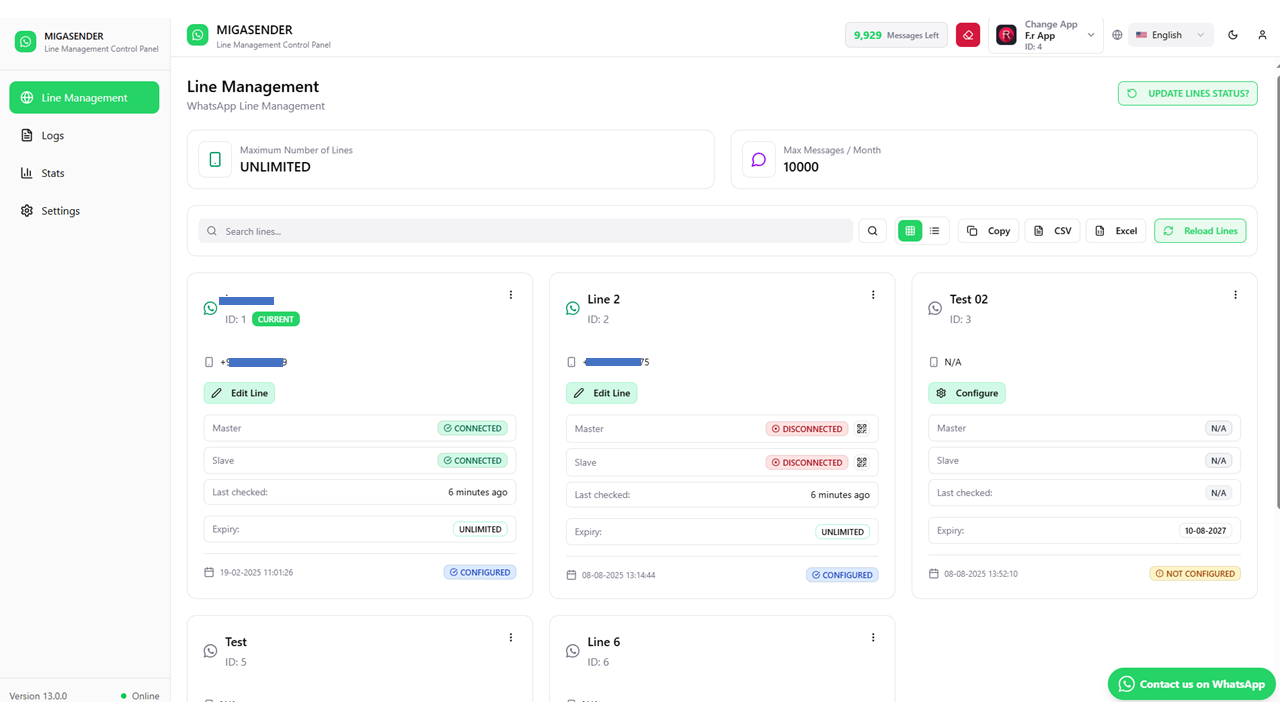
Line Creation and Configuration: You can create a new line using the “Create Line” endpoint, where you must provide a security token and the application ID. You can also set an expiration date and a maximum number of messages per month.
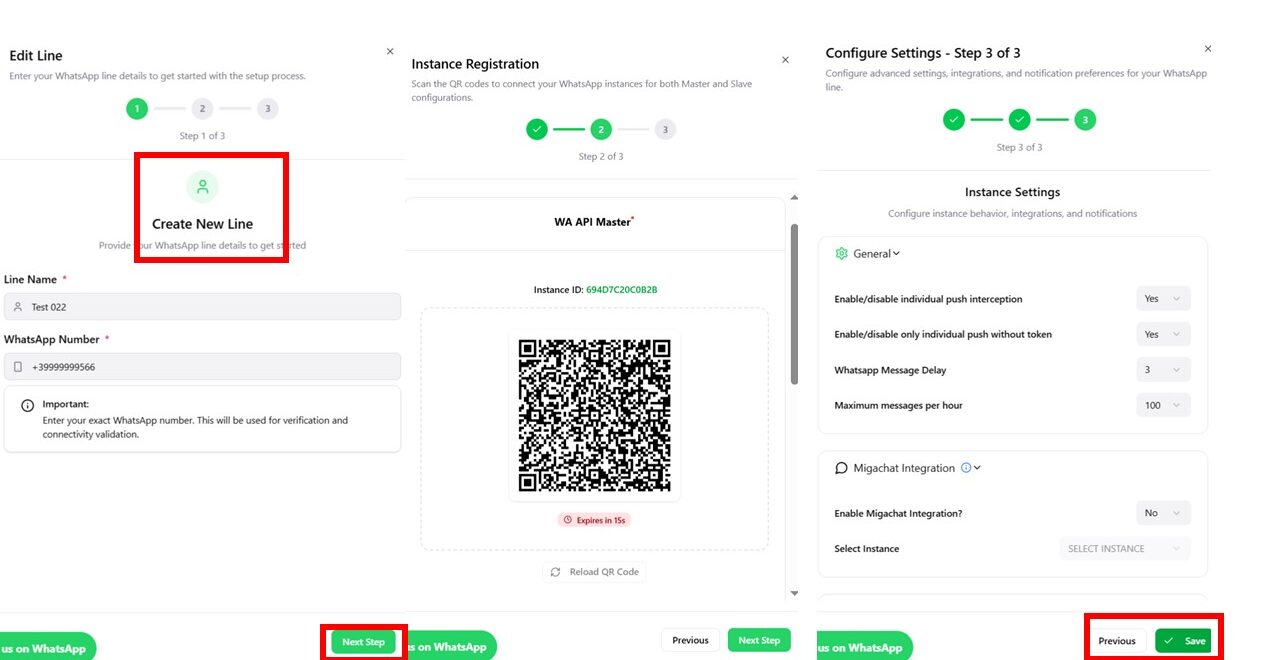
Line Updates: Lines can be updated via the “Update Line” endpoint, allowing you to change the line status, expiration date, or maximum number of messages. You need to specify the ID of the line to be updated.
Line Retrieval: You can retrieve information about a specific line or all lines using the “Retrieve a Specific Line” and “Retrieve All Lines” endpoints. These endpoints return details such as the line status and expiration dates.
Line Deletion: If needed, lines can be deleted using the “Delete Line” endpoint by providing the security token and the ID of the line to be removed.
Status Monitoring: The system automatically manages the switch between the primary (Master) line and a backup (Slave) line in case of issues, ensuring service continuity.
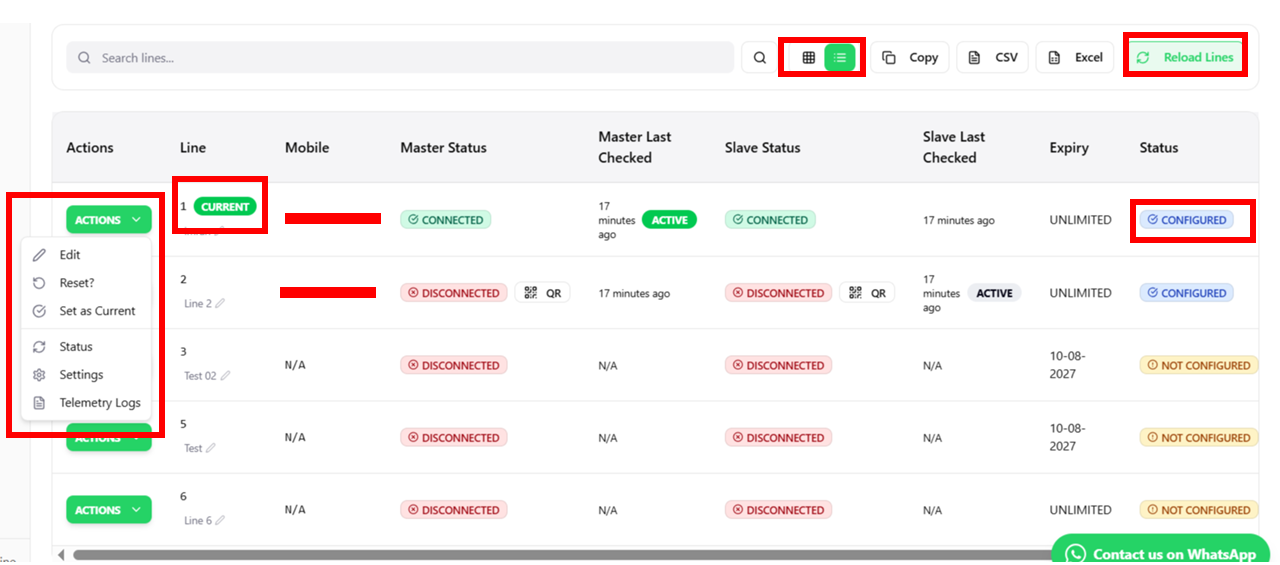
This structure enables efficient and scalable management of WhatsApp communications, reducing the risk of interruptions and optimizing resource usage.
LOGS:
Log management in Migasender allows you to monitor and view interactions and events. Here’s how it works
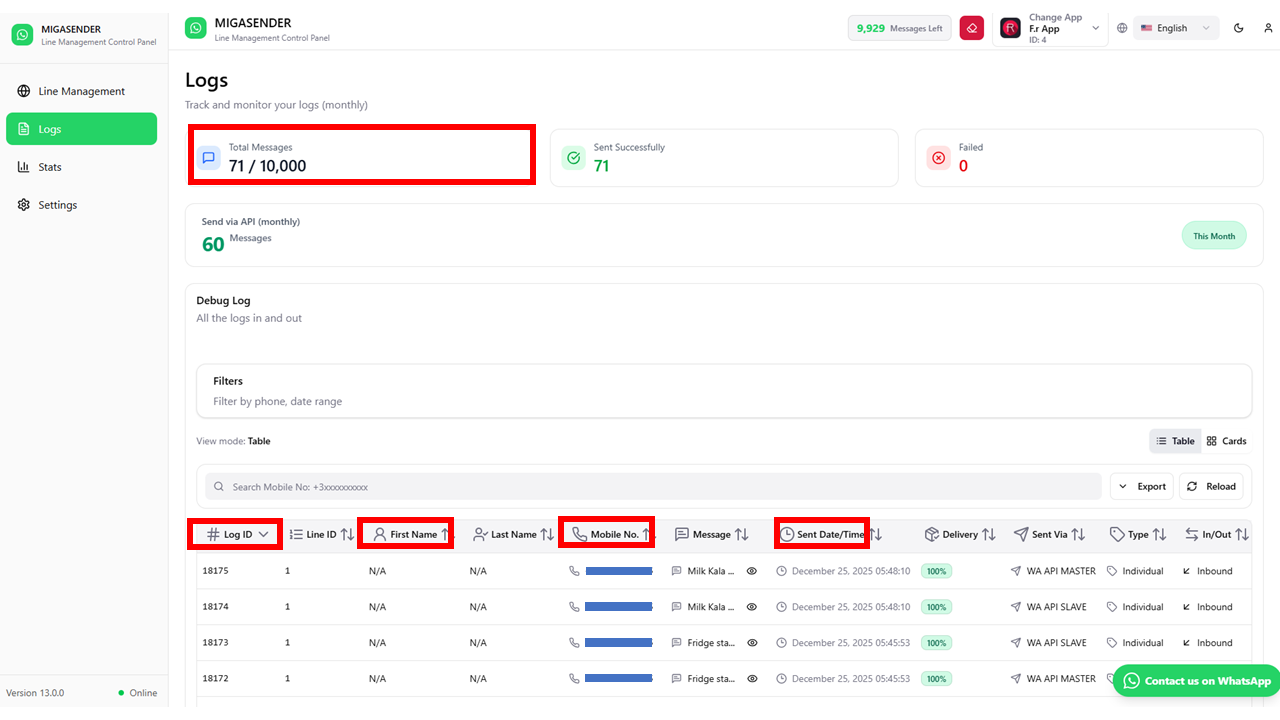
Access to Logs: Users can view the logs of the last 30 chats through the Migawhatsapp module. This includes any errors encountered during interactions.
Log Details: The logs provide detailed information such as:
Log ID: Uniquely identifies each record.
Line ID: Indicates which line the interaction is associated with.
User Information: First name, last name, email, and phone number of the recipient.
Message: Content of the sent message.
Timestamp: Date and time when the interaction occurred.
Log Status: Indicates whether the message delivery was successful, resulted in an error, or encountered specific issues such as an “invalid number”.
Monthly Statistics: Within the logs section, there is a monthly report showing statistics such as the total number of messages sent, the number of failed messages, and the total number of messages available to send per month. These data are updated in real time.
Errors: If an error occurs, such as when a number does not exist on WhatsApp, it is displayed in the log with specific details to help troubleshoot the issue.
This logging system is essential for monitoring the effectiveness of communications and ensuring that any issues are identified and resolved promptly.
STATS:
The Statistics section in Migasender provides detailed data on communication performance. Here’s how it works and what data is shown:
Monthly Statistics: Under the “Logs” tab, you can view a monthly report that includes:
Total message quota: The total number of messages that can be sent in a month.
Messages sent: The count of all successfully sent messages.
Failed messages: The count of messages that were not delivered for various reasons, such as invalid numbers or gateway issues.
API Sending: There is a specific report for messages sent via API, showing the number of messages successfully sent using this method.
Real-Time Updated Data: The statistics are automatically updated in real time, providing a clear and up-to-date view of performance without needing to reload the page.
Statistics Visualization: Statistics can be presented in various formats, such as tables, charts, and downloadable CSV reports. This allows users to easily analyze the data and generate reports for business performance management.
This statistics system is essential for monitoring the effectiveness of communication campaigns and optimizing marketing strategies.
Settings:
The Settings in Migasender allow you to configure various aspects of the system to optimize communications and interactions. Here’s how they work and how they can be managed:
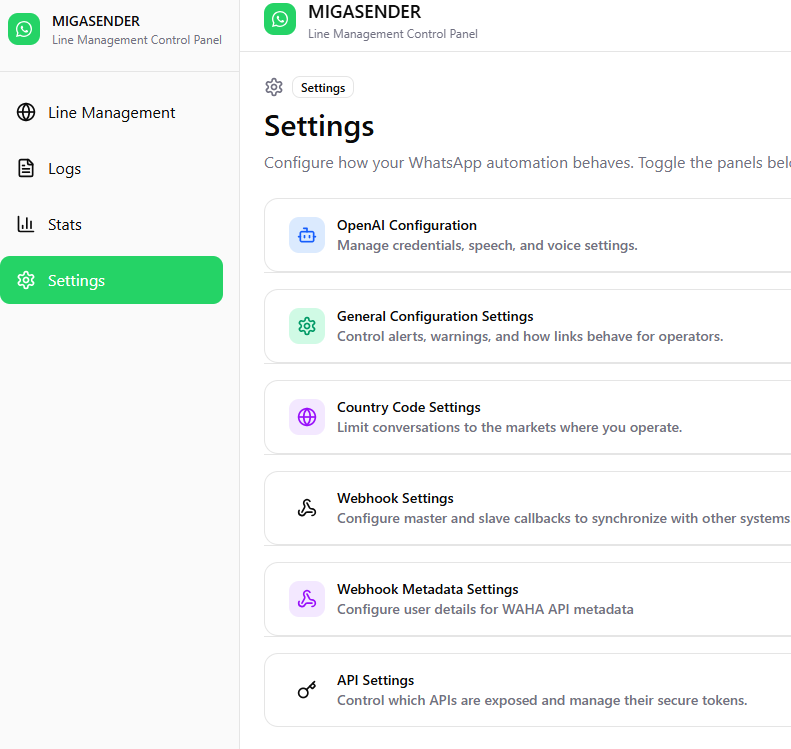
Accessing the Settings Panel: Users can access the settings panel from the Migasender app section. Here they can configure general settings, API integrations, and specific options for Migachat and Migawhatsapp.

General Configuration:

Webhooks: Users can set webhook URLs to receive event notifications. Webhooks can be enabled or disabled without losing existing settings.

Notification Language: Administrators can translate notifications into different languages, making communication easier for users from different backgrounds.
Integration Settings:
Migachat: The integration with Migachat can be enabled or disabled. Migachat handles user interactions via AI, and the Migachat module must be installed and configured.
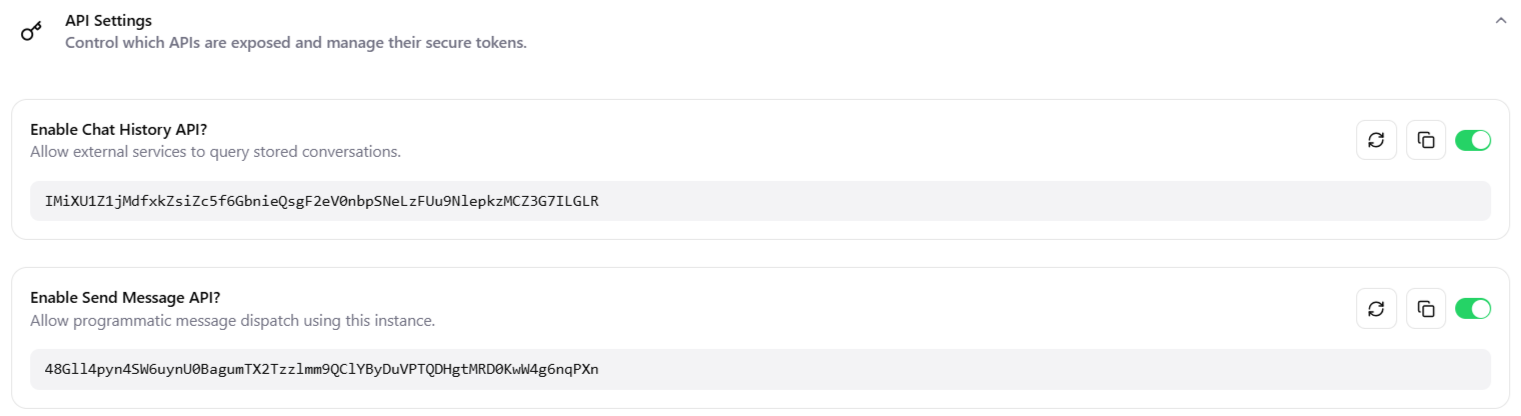
API Configuration: API settings allow management of authentication tokens and definition of usage limits to ensure optimal use of resources.
- The Settings that enable the Chat history API Token.
- Enabled Send Message API allows the user to get an API Token.
- For more Details, Please Read the API Documentation.

- Notice: To use Migachat, make sure the Migachat module is installed in the app and properly configured.
Blacklist Management: Users can configure temporary or permanent blacklists for specific numbers, preventing unwanted users from accessing the APIs.
Message Sending Settings: Users can configure options for link display in messages, deciding whether to show previews, and manage message delays.
Saving and Validation: After making changes, the system validates credentials and settings before allowing them to be saved. If errors are found, the save will not proceed.
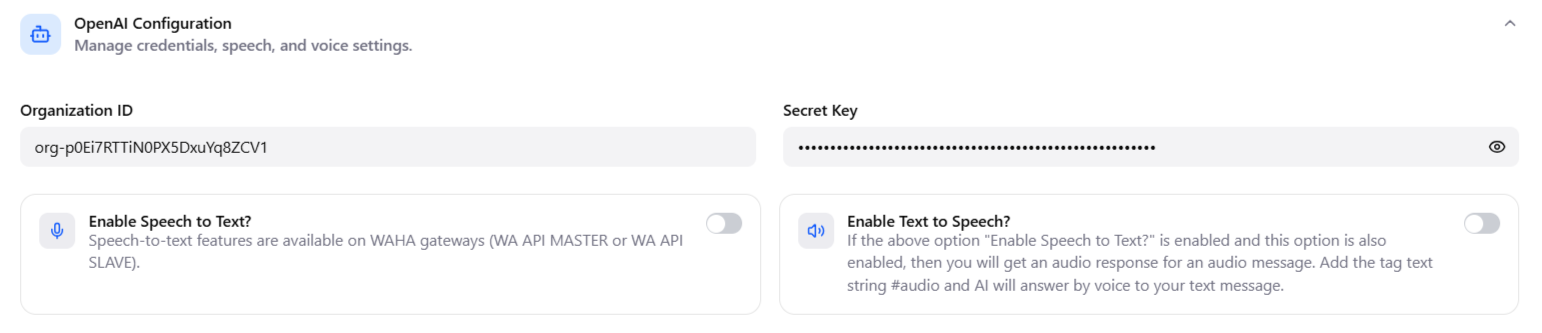
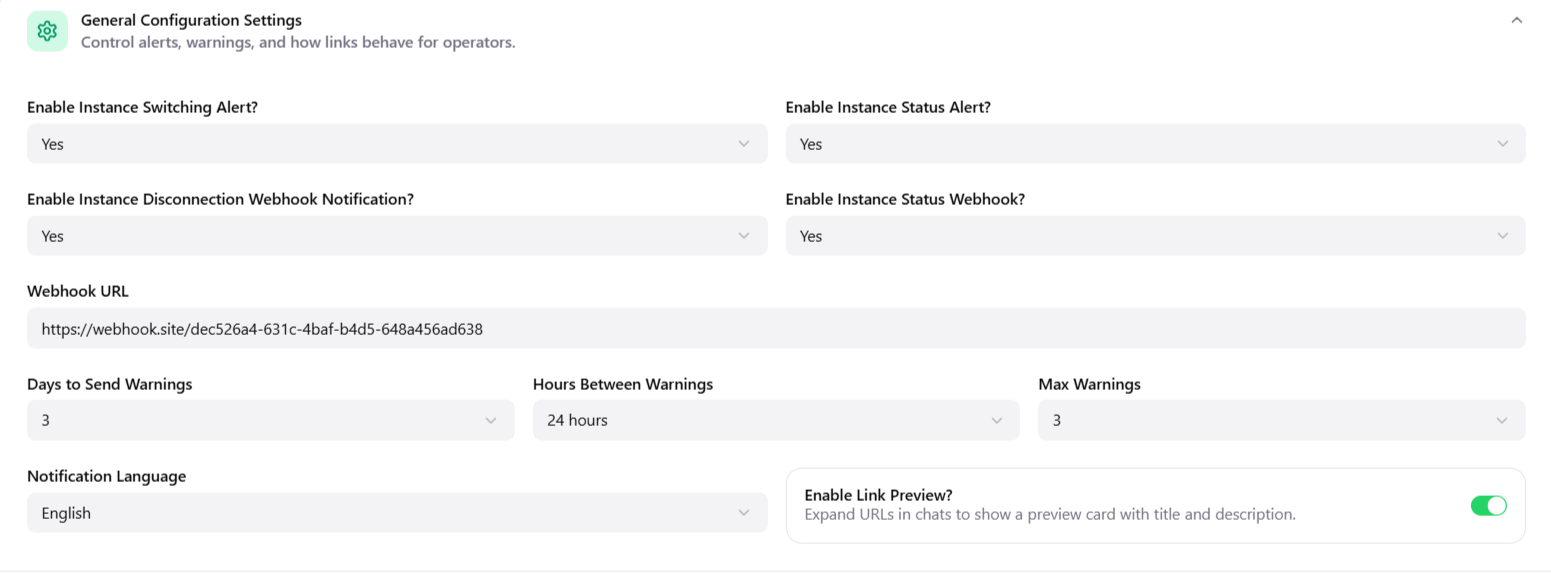
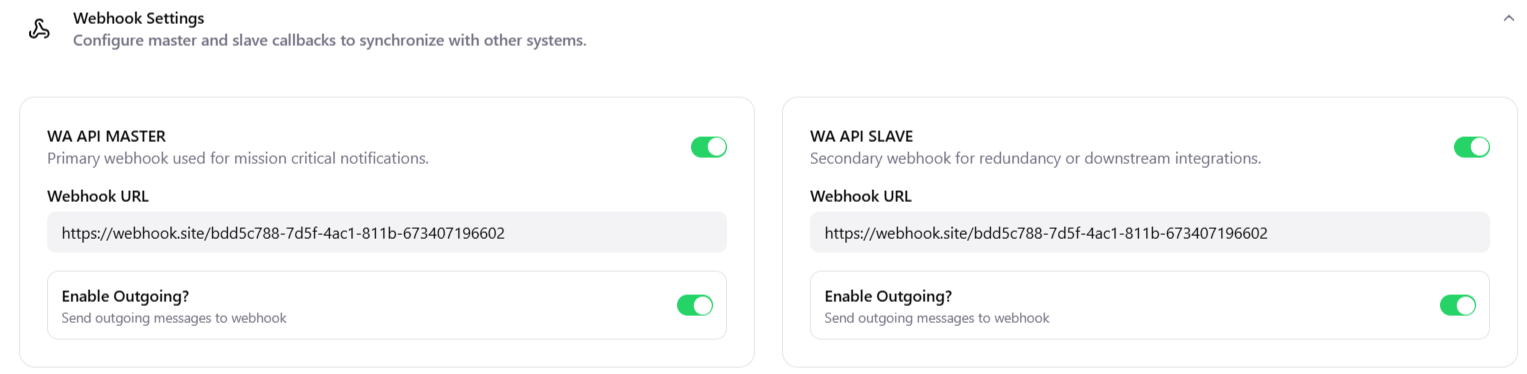
These settings make it possible to customize and optimize the use of Migasender and its integrations, improving the effectiveness of business communications.
LINK: https://support.migastone.com/en/hrf_faq/Migasender/